Email communication is one of the most vital means of interaction between professionals and their clients. Actually, email messages are exchanged at every stage of the customer journey – customers receive them before making a purchase decision, during the sale, and afterwards.
To capitalize on this crucial touchpoint, professionals use email signatures. Added to every single email sent to potential or existing customers, signatures are a powerful medium for promoting the brand, developing a strong online identity, and ensuring that the customer has all the important contact details at their fingertips.
Best email signature examples (by profession)
In this article, we’ll show you some of our favorite examples of professional email signatures for diverse industries. You can just take a look at them to get an idea of what makes an email signature that really stands out, but you can also use them yourself. They’re all based on templates from our free email signature generator, where you can customize them and then apply them in your email app.
Tip: As you’ll notice, the signature examples we show below aren’t always one-to-one copies of the templates available in our generator. In some cases, they use slightly modified font colors or styles (click here to learn how to customize fonts in the generator). In others, they skip unnecessary contact details or add extra information – these tweaks can be easily made in your email app after you apply your favorite signature template there (learn more). Still, with our tool, you’ll be able to recreate a look similar to the examples below.
Click one of the links below to jump to a specific section, or read on to explore them all.
- Branded email signature for a business owner
- Doctor email signature with a booking link
- Fitted out email signature for a realtor
- Professional email signature for a teacher
- Top-class email signature for a student
- Tour guide email signature with a booking banner
- Well-balanced CEO email signature
- Sales director email signature with an animated banner
- Modern email signature for a lawyer
- Minimalist personal email signature
Branded email signature for a business owner
If you’re a business owner, you surely know that building the brand image takes time. Why not use your email signature for marketing and branding purposes, then? You probably send dozens of emails each day, so this creates a tremendous opportunity for increasing the recognition of your brand.
When designing your email signature, remember that:
- The overall signature design should align with your brand identity – not only when it comes to the logo. If possible, use the same color palette and typography for all elements of your signature to make it look neat and consistent.
- It’s not only fine feathers that make fine birds. Your signature should be visually appealing but its primary aim is to introduce you and share your phone number or address, so make sure not to miss any of the important contact details.
- All your employees can use similar signatures as well. Use email signature management tools to insert unified signatures automatically into each and every email that your employees send.
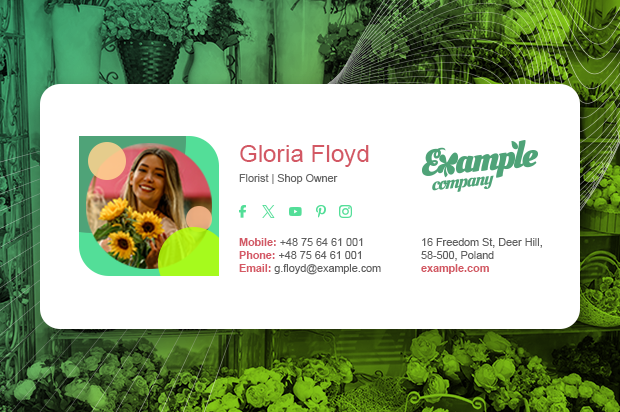
And here’s a great email signature example for a business owner. It’s professional and still looks fresh, doesn’t it?
Get this signature for free or see other signature designs that highlight the company logo
Doctor email signature with a booking link
An email signature for a health professional should blend the image of competence with a patient-friendly approach. In other words, if you’re a doctor, you can use your signature not only to display your qualifications, but also to streamline communication with your patients.
Here are some tips on how to create an email signature for a doctor:
- Include the job title and medical specialization to highlight your expertise.
- Add the address of the hospital or healthcare facility you are affiliated with. It’s also a good idea to provide up-to-date information about your appointment schedule, not only if you work irregular shifts.
- If your healthcare center uses a booking service, attach a booking link or banner to make it easier for your patients to schedule an appointment with you.
Take a look at our example of a professional email signature for a medical doctor.

Use this free template to create your own email signature
Fitted out email signature for a realtor
Are you a real estate agent? Using a well-designed realtor email signature can be a low-lift solution for advertising your listings and driving sales. Actually, an email signature is not very unlike a house facade – it creates the first impression and can be the make-or-break factor that can help you lock a deal.
Follow our tips to design your realtor email signature:
- Use a quality business photo to create a professional image and let your leads know they’re not dealing with some shady seller.
- Insert links to your social media profiles where you showcase your portfolio.
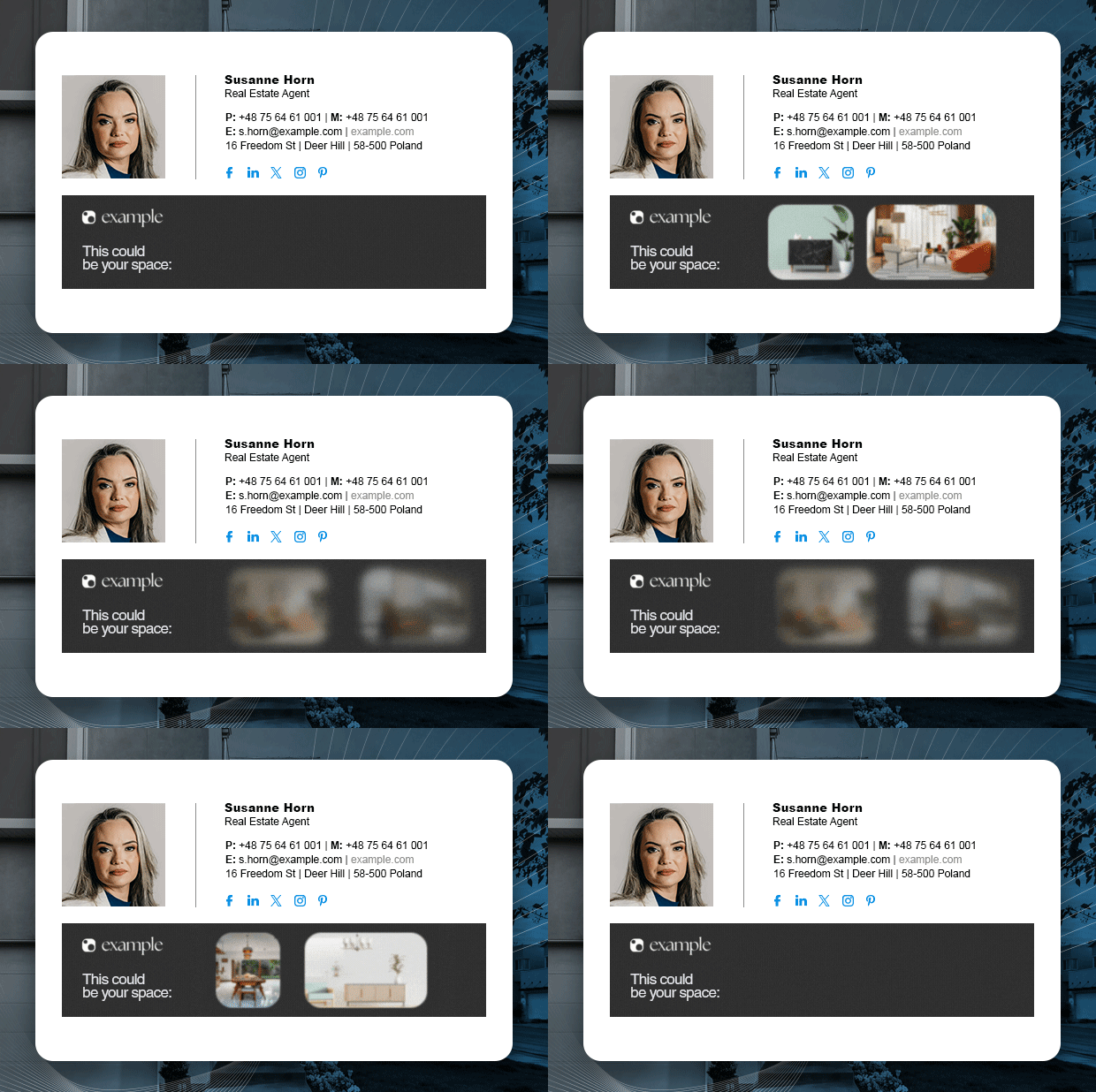
- Use a banner to present your portfolio highlights within the signature itself. Don’t go over the top with it, though – pick just a few best images. You can use an animated banner to save space and make the signature more attention-grabbing.
These two great examples should give you a glimpse of what a real estate agent email signature can look like.

Get this signature template for free or check out other templates with social icons
Download this signature template or see more templates with an animated banner
Professional email signature for a teacher
It doesn’t matter whether you’re an elementary school teacher or a college professor – fostering a culture of communication with your students is crucial at all levels of education. A professional email signature can help you do just that. Sometimes, simply sharing your contact details and office hours in emails that you exchange with students and their parents is enough to show that you promote open dialogue in your classroom.
Here are some tips on how to create an outstanding teacher email signature:
- Highlight your office hours. This way, you’ll reassure your students that if they need a one-to-one consultation, you’ll be there to support them.
- Use your headshot photo to prove that you’re not just a cog in the schooling machine but a real person who cares for students and their needs.
- Include a link to study resources, if you use them. For instance, this can be a shared folder on a cloud storage platform where you upload further reading materials or key takeaways from your classes.
And here’s an example of the effect you can achieve with your teacher email signature:

Use this signature template for free
Top-class email signature for a student
You don’t need to be an aspiring valedictorian to stamp your emails with a student email signature. Actually, some universities encourage students to use signatures that include their classification and major, along with an academic seal or university logo. This helps improve the clarity of communication on campus and promotes the school’s branding beyond it.
When designing your college student email signature, make sure to:
- Check whether your school has official guidelines for student email signatures. If it does, follow them.
- Showcase your publications and academic achievements – especially if you’re planning a career in academia.
- Promote a student society or association you belong to. If possible, include its logo or a small banner to catch the attention of fellow students and potential new members.
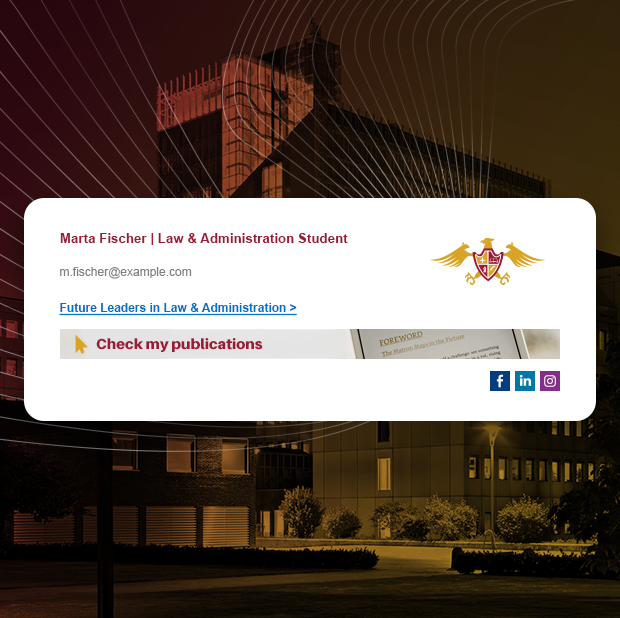
Below, take a look at our example of a straight-A email signature for a college student. And if you want more examples and tips for creating a perfect student signature, see this article.
Download this template for free
Tour guide email signature with a booking banner
If you’re a tour guide, you know that communication with tourists and operators from all corners of the world isn’t easy to manage. A well-designed email signature with your contact details front and center can help your recipients not get lost before the tour even begins – and makes it easier for them to book their next tour right after you’ve said “au revoir”.
Here’s what you should know before you set up your tour guide email signature:
- Up-to-date contact information is what you want to highlight. You can also add local emergency numbers to help foreign tourists in case something unexpected happens.
- Add a booking banner with a link to your tour booking website.
- Create separate signature versions in multiple languages to keep things clear for everyone. Extra tip: if you work for a travel agency, ask your IT team to deploy a company-wide email signature management tool that can automatically switch the signature language based on who you (or your colleagues) are corresponding with.
Looking for an example of a professional tour guide email signature? Check out our sample template and get inspired – or use it yourself.

Customize and download this free signature template
Well-balanced CEO email signature
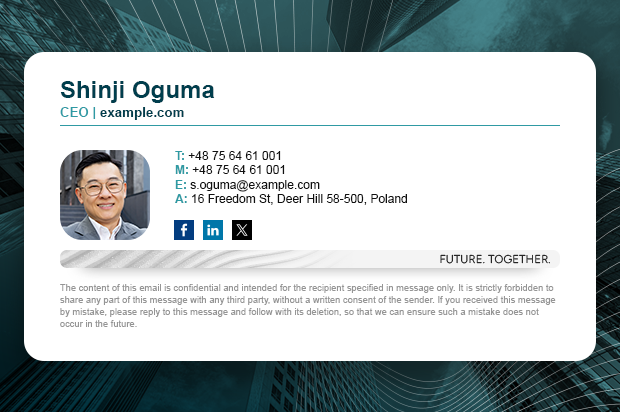
An executive’s email signature must project professionalism. A simple “John Doe, CEO” signature won’t cut it – but an over-the-top, extravagant design won’t either. The best executive signatures strike a balance: they are elegant, focused, and thoughtful.
Use our tips to design a well-balanced CEO email signature:
- Include the CEO’s photo to make their emails more authentic and trustworthy.
- Add a legal disclaimer to ensure compliance with various legal regulations related to email correspondence. Check out our list of ready-to-use email disclaimer examples
- Include the CEO’s motto or mission statement to highlight the principles behind the company and reinforce the executive’s thought leadership.
Below you can find a great example of a balanced and professional email signature for a C-level executive.
Click here to adjust and download this template for free
Sales director email signature with an animated banner
Running a sales department equals exchanging dozens of emails every day. Many of these emails are touchpoints that can lead to a closed deal. They’re also a perfect medium for reinforcing brand image. So why not level up your emails with a professional signature?
Follow our tips to design a perfect sales director email signature:
- Reflect your brand’s visual identity with your signature template’s colors and graphic elements.
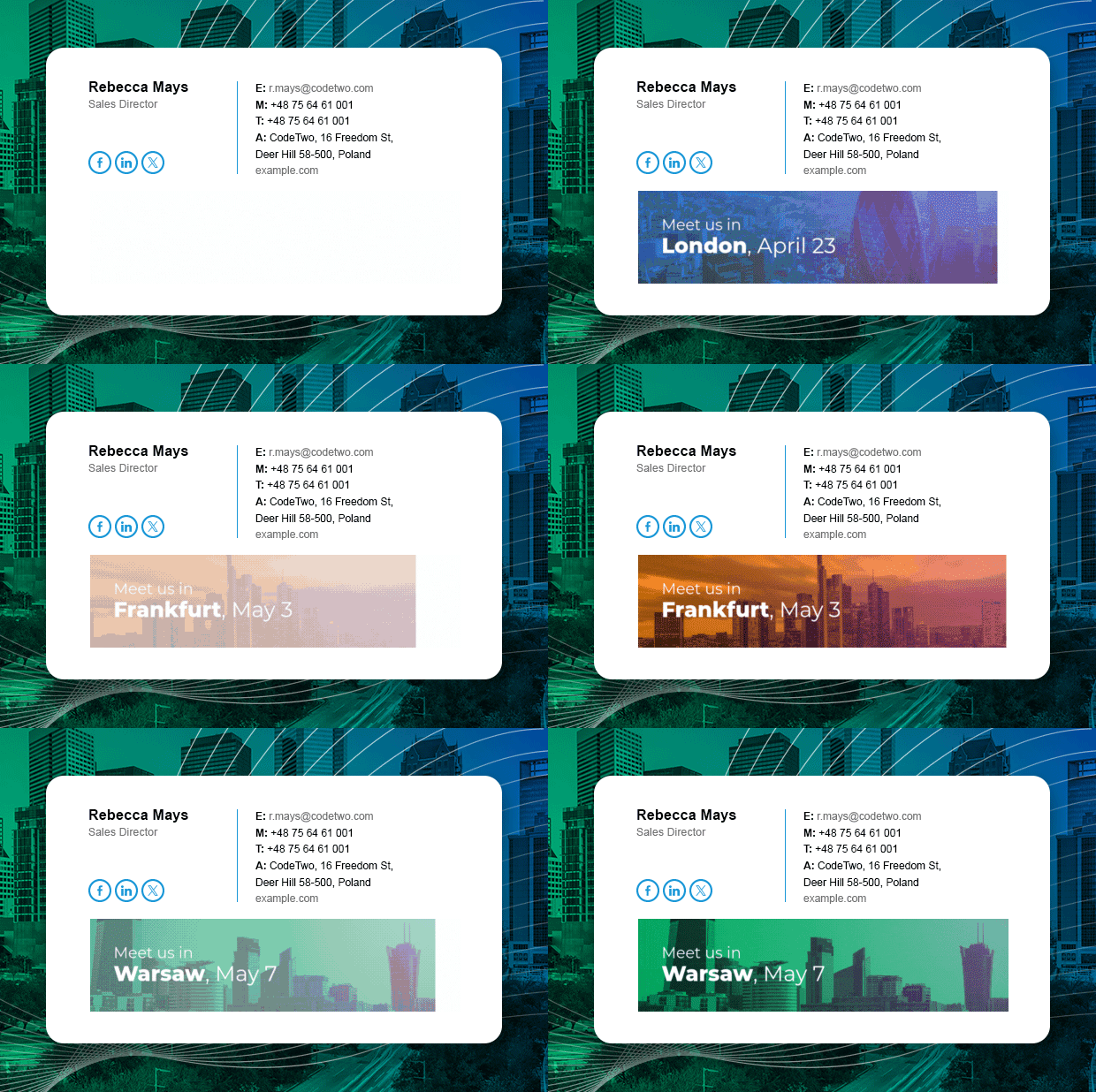
- Add an animated banner to make the signature more dynamic, eye-catching, and modern. It’s also a great way to showcase your company’s portfolio or promote upcoming events.
- Consider using different signature versions for different recipients. For instance, use a more personal signature for internal communications and a formal one for external emails. If your company uses an email signature management solution, you’ll do it hassle-free.
Take a look at our example of a sales director email signature with an animated banner.
Get this template for free or see more templates with an animated banner
Modern email signature for a lawyer
It doesn’t matter what your practice area is or who you represent. If you’re a lawyer, you probably aim to project competence and professionalism at all times. Using an email signature can help you do just that. In fact, a refined, modern signature can work like a seal that lends authority to your messages and underscores your qualifications.
Here are a few tips to consider when designing an email signature for a lawyer:
- Apply an appropriate disclaimer to help meet legal requirements related to information protection, reduce the risk of data breaches, and reference a relevant privacy policy.
- If you work for a law firm, include its logo and website address.
- Add your photo, qualifications, and professional title to build trust with your clients and partners.
Looking for inspiration? Here’s a great example of a modern lawyer email signature. Note its vertical design – it makes the signature more mobile-friendly and device-agnostic!

Click here to get this signature template for free
Minimalist personal email signature
Creating a personal email signature might not be your top priority, but there are plenty of situations where such a signature can come in handy. Job hunting is quite an obvious example here – when you send your CV via email, your signature becomes a kind of business card. If designed well, it can really draw the recruiter’s attention and boost your application.
For useful tips on how to create a personal email signature, check out this article or read the key takeaways below:
- Use a no-nonsense email address. Sure, addresses like cyber_ninja@gmail.com, dragon-slayer@hotmail.com, or sk8r_boi_1999@yahoo.com give off some delightful early-Internet vibes, but we’re past that now. Your best bet is a simple address based on your first and last name (with an occasional dot in between).
- Add social media links, especially if you are building your personal brand or running a blog.
- Mind the dark mode. Remember that most email apps support dark mode and a lot of users are happy to switch to it. Make your signature dark-mode-friendly so that it doesn’t lose its charm even against a dark background.
And here’s our example of a personal email signature featuring a clean, slightly minimalist design.

Customize and download this free signature template
Get more examples
Want to learn more about email signatures for professionals and see other examples of great signature templates? Check out our series of articles about email signatures for different professions:
- How to design a professional email signature for freelancers
- Perfect email signature for an event planner
- Email signature for a software developer – design a perfect one
- Email signature for a photographer – how to promote yourself
- Sales Email Signature – how to design your perfect email signature
Email signature etiquette
No matter your profession, remember there are a few unwritten rules that you should follow when designing your email signature. These rules make up what we call email signature etiquette and answer questions like:
- What to include in a professional email signature?
- What should never appear in a signature?
- What’s the best size for an email signature?
If you want reliable answers to these questions, read our article on email signature etiquette.
Email signature management tools
Company email signatures can be managed centrally. Using a dedicated tool, a single person can design, set up, and control signatures for the entire organization, making sure that every signature looks and works as intended. Click here to learn more about email signature management tools
Good luck with designing your professional email signature!