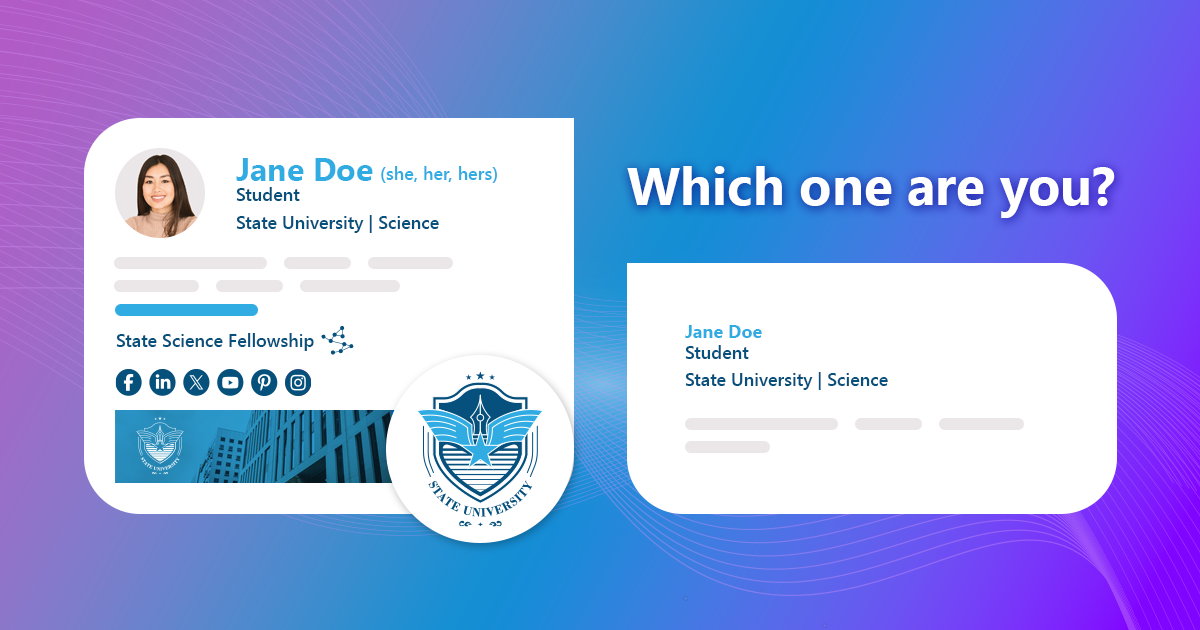
This article is for college, university and school students alike, because you can start building a professional image, regardless of your age or level.
Continue reading if you want to learn why email signatures are important, how to get a perfect one, and see some great email signature ideas.
Which is better?
So, which email signature is better – the supercharged version or the half-baked one? The answer is simple:
Neither.
If you go overboard, there’s a good chance your email signature will take up more space than your actual emails. You don’t want that. Adding irrelevant elements or too many of them just irritates your recipients.
A simplistic email signature could work if you desperately want to stay under the radar. But even then, it’s better to go from simplistic to at least simple, so that your recipients don’t have to ask who you are and how else they can reach you.
That’s why it’s best to get your signatures just right. They can be good and simple or good and complex. I’ll try to help you find the perfect balance.
Do students need professional email signatures?
Let’s be honest – having an email signature is not a deal breaker. You might get through college or university without ever setting up an email signature, so why bother? Here’s why:
- Your school might require you to have a signature that follows specific guidelines. This makes communication unified and more effective.
- A professional email signature leaves a good impression. If done well, it shows attention to detail, focus and suggests that you know what you’re doing.
- If you include your institution’s visual identity in your emails, you show that you want to be a part of it.
- A well-crafted email signature makes you stand out.
- A professional email signature can help you win when you’re job hunting or trying to get an internship.
- Every teacher and professor is different, but it all comes down to this: they can devote themselves to guiding you towards the best possible future for you or to making your life miserable. That’s well within their might, so you might want to stay on their good side by showing some initiative and making sure the signature doesn’t break or overwhelm your recipients.
Always remember that a professional email signature leaves a good impression, but it won’t do much good if it’s placed under an unprofessional email. Emails do require some level of professionalism; school and college life is a good moment to get used to that. So, it’s a good idea to double-check your emails before you send. And sometimes, to take a deep breath before you even start writing.
Best practices
Check the guidelines
Before you start designing your brand new email signature, check your college website for more information. There’s a good chance that your institution has guidelines that you need to follow when designing your email signature or even has a signature template at the ready. This makes the job easier for you.
You don’t want to be mentioned in the college newsletter under the headline “Freshman Did It Again”, with a verbose explanation why it’s not good to get too creative with your email signatures.
Do the research
If your college doesn’t have any branding and styling tips and your student ambassador hasn’t been announced yet (or just stares blankly when asked about signatures), you need to do a bit of research. Study the college logo with a color picker to see what font colors to use. Check some official emails to see if there’s an official font family and find out what your faculty adds to their signatures. If you want to go with an elaborate email signature, consider preparing a simplified version for replies/forwards, so that you don’t dominate email conversations with your signature alone.
Make it unified
Use the same email signature for emails sent from a PC, tablet or a phone. Otherwise, your communication gets chaotic.
What to include in your email signature?
You’d be surprised how much data you can include in an email signature. But just because you can doesn’t mean you should, you know? It’s like when you write a resume – you might want to leave out this one time when you were a part of a school play (as the tree no 3), even if you think it shows some initiative and is somewhat relevant.
Like I already mentioned, a lot depends on the college guidelines. Some might be against any images to keep mailbox sizes to minimum and prevent chaos when everyone has a different idea on what images to add to a signature. Others might encourage additional elements but expect you to follow some other guidelines. Below I’m listing some elements that should make it to your signature, some nice-to-haves and definite no-nos.
DO include
- Your Name.
- School name.
- Department.
- Your level (e.g. Major, JD candidate, BA/MA Student, 1st year and so on).
- Alternative contact methods, like the phone number.
CAN include
- Your photo, as long as it’s at least semi-professional.
- The school motto.
- Social media buttons BUT tread lightly. If your profiles contain strong opinions about important matters, show interest in your field of study or focus on your hobbies and interests, they should be good to go. If they consist mainly of drunk photos, or videos from your game marathons, don’t tempt college faculty to go there. Anyway, if you’re looking for ready-to-use social media icons, you can grab them here.
- Academic achievements.
- Publications or articles you were a part of. Links to Google Scholar, ResearchGate or Academia are welcome.
- Portfolio.
- Pronouns – either as a way to show support for LGBTQ+ community or show your recipients that you know who you are. If you want to look deeper into this subject, or share your opinions on the matter, go to this article.
- Address – might be useful if a college or university has multiple locations or simply requires this.
- Email address – this may come as a surprise, but an email address (either official or personal) might come in handy in a signature. For example, if your email gets forwarded and the forwardee wants to contact you. Or when a school mailbox suddenly stops working and you don’t want an urgent matter to wait for someone to fix it.
DON’T include
- Motivational quotes, unless it’s the school motto.
- Irrelevant achievements.
- Any irrelevant links.
- More than 3 font styles.
- Memes, no matter how funny it is to end an email with a mic drop.
- Everything from the CAN include list. It’s too much. Focus on the most important stuff.
Best email signature examples for students
Take a look at some examples of well-crafted student email signatures. Get inspired before you start working on your own.

A well-thought email signature that shows a variety of elements. Make sure to use only “the good” social media links, pick and choose the other elements. You can see what I meant by using the right colors – this whole signature is cohesive – there are no accidental elements and everything looks well together.

This inspiration is great if you want to focus on promoting your academic achievements. That’s a good way to show off your publications, stand out (in the good way) and help the faculty associate your face with your work.

This email signature design shows how to achieve consistency. It’s visually pleasing and contains everything a good signature needs.
For more signature inspirations, check out our signature library.
You can also take a look at some of the simpler designs that still work: minimalist email signatures.
Generate your student email signature for free
The easiest way to get your own email signature is to use a dedicated tool. It makes the design process much easier and the result works well, even if you have no idea how email signatures are crafted (a very specific HTML code, by the way).
Start crafting your free email signature in our generator
Email signature management for schools, colleges and universities
If you’re a faculty member and happen to be reading this, note that your email signatures need to be at a different level (see our article on teacher email signatures). That’s why many educational institutions decide to manage email signatures centrally.
Managing email signatures for entire educational institutions is a whole different story. Email signature management helps schools of all levels ensure that their emails are always professional and on-brand.
To take care of signatures for anyone on the campus, you need a professional-grade tool that lets you act in a centralized way. See how CodeTwo Email Signatures 365 helped schools manage their visual identity in emails:

Trinity Grammar School
Trinity Grammar School is an educational organization with a long-established tradition. Maintaining a good reputation and public relations is a high priority for the school. See how CodeTwo helped them ensure a professional image with each email sent

Metropolitan School
Metropolitan School, localized in Cairo, Egypt is a high standard educational institution. Their experienced personnel offer high level of education based on American Curriculum. See how CodeTwo secured their brand