



Using social media icons in an email signature is a must if you want to compete in today’s digital world. A company that doesn’t have at least one social media account may look like it doesn’t even exist in the eyes of potential customers. Companies gain trust by posting regularly and staying available and responsive on social media. Including your email communication in the social media strategy is a perfect way to take advantage of all branding and marketing opportunities. And there’s no easier way than simply adding social media icons to your company’s email signature.
Use social media icons in your email signature
Different companies use different social platforms. In most cases, these can be narrowed down to 2 or 5 from the list below. We have prepared downloadable social media icons for each of the following most popular services and communication channels:


All of our social media icons are available in three sizes: 20×20, 48×48, 80×80 pixels, and in six styles: standard square, rounded square, gradient square, solid circle, outer circle, and symbol. All icons are in the PNG format.
See how to add social media buttons to your email signature
Standard Square
These social media icons have a solid color square background.

- Download standard square social media icons 80×80 pixels
- Download standard square social media icons 48×48 pixels
- Download standard square social media icons 20×20 pixels
Rounded square
The following social media icons have a solid color rounded square background.

- Download rounded square social media icons 80×80 pixels
- Download rounded square social media icons 48×48 pixels
- Download rounded square social media icons 20×20 pixels
Gradient square
Another set of social media icons with a rounded square background, but this time they have a gradient effect added.

- Download gradient square social media icons 80×80 pixels
- Download gradient square social media icons 48×48 pixels
- Download gradient square social media icons 20×20 pixels
Solid circle
The following social icons with solid a circle background will bring some freshness to your signature.

- Download solid circle social media icons 80×80 pixels
- Download solid circle social media icons 48×48 pixels
- Download solid circle social media icons 20×20 pixels
Outer circle
All social icons from this set have an outer solid circle and transparent background. This shape gives email signatures more lightness.

- Download outer circle social media icons 80×80 pixels
- Download outer circle social media icons 48×48 pixels
- Download outer circle social media icons 20×20 pixels
Grey solid circle
This free social media set includes icons with a toned-down solid grey background. The color is both light- and dark-mode friendly

- Download grey solid circle social media icons 80×80 pixels
- Download grey solid circle social media icons 48×48 pixels
- Download grey solid circle social media icons 20×20 pixels
Symbol
Social media icons of this style have no background, just the symbol itself.
- Download symbol social media icons 80×80 pixels
- Download symbol social media icons 48×48 pixels
- Download symbol social media icons 20×20 pixels
Download all social media icons for free
Decide on the size (20×20, 48×48 or 80×80 pixels) of social icons you want to have in your email signatures and then download one of the following .zip files to your device.
- Download all social media icons for email signatures 80×80 pixels
- Download all social media icons for email signatures 48×48 pixels
- Download all social media icons for email signatures 20×20 pixels
Each package of a selected size contains graphics in all styles and shapes presented in this article.
More social media icon inspirations
Social media icons in email signatures should match your email signature’s style and brand color. If the above-listed standard icon designs don’t go well with your visual identity, look at the examples below for more ideas.
If any of the designs catch your attention, follow the links under the template. The first link takes you to the signature generator, where you can easily edit the template. The second one takes you to the signature template’s download page, where you can download a .zip file containing all the signature graphics, including social media icons.
All the inspirations come from our free signature generator and signature template library.
Personal Business Card
An email signature can act as a digital business card. It contains your contact information, looks fancy and, thanks to clickable elements like social media icons, it is more actionable. If you need social buttons in the color that stands out (#ff3716, to be exact), Personal Business Card is the signature template for you.

Creative Flow
If your brand colors are green, those green social media buttons will fit your design perfectly.

Virtual Assistant
This social email signature example features square-shaped blue icons. Combined with classic two-column design, it’s a popular choice for company email signatures.

Freelancer’s Best Friend
This template features black social media buttons. While not as flashy as their colorful counterparts, they should fit any signature design, no matter what brand colors you have.

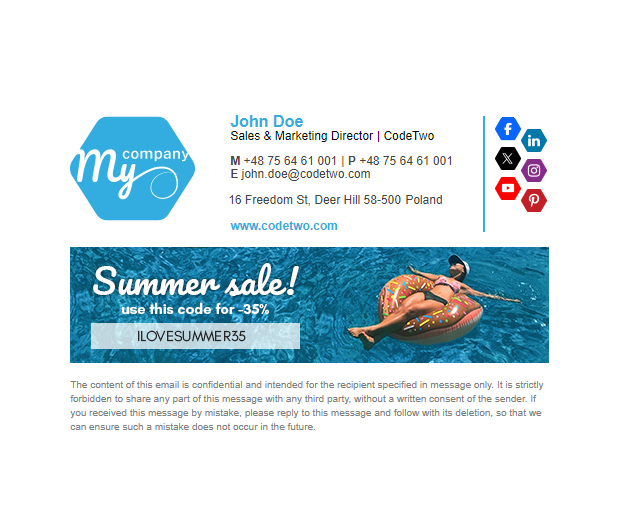
Hexagonal logo
For those looking for something less conventional, the hexagonal social media icons are the way to go.
Out of the box examples
Looking for something more outside-the-box? Our graphic designers have got you covered. We’ve got pumpkin-shaped social icons for Halloween, heart-shaped for Valentine’s Day, and much more.
Explore more social icon designs in our signature template library
Note: At this moment, our signature generator has the following social buttons built-in:
- X (Twitter)
- YouTube
- TikTok
- Twitch
- Spotify
- GitHub
- Discord
- Snapchat
- Signal
- Telegram
If you need any other icons, download them and then add them directly to the signature template in your email app.
How to add social media icons to email signatures?
In email signatures, social media icons need to be clickable. In our article on how to add social media buttons to email signatures, you will find out how to insert social icons into specific email systems, how to get a working link to your social media profile, and more.
Disclaimer: All brand logos available in this blog post belong to the respective companies.
See also:



Please add bluesky!
Sure thing, Bluesky is already here!
Great selection of icons for all major platforms.
Are there plans to add the rebranded Twitter icon?
Thanks!
Yes, we’re planning to add the X icon soon.
Hello! Thank you for the free social media icon downloads! I wanted to suggest that you might also add email, website, podcast, and telephone icons to your available icons to reach more people, but overall, I loved the simplicity of being able to download your content and add it to my signature!