Let’s start with showing you the best email signature designs for freelancers, then I’ll get deeper into the whys and hows of freelancer email signatures.
Top freelance email signature examples
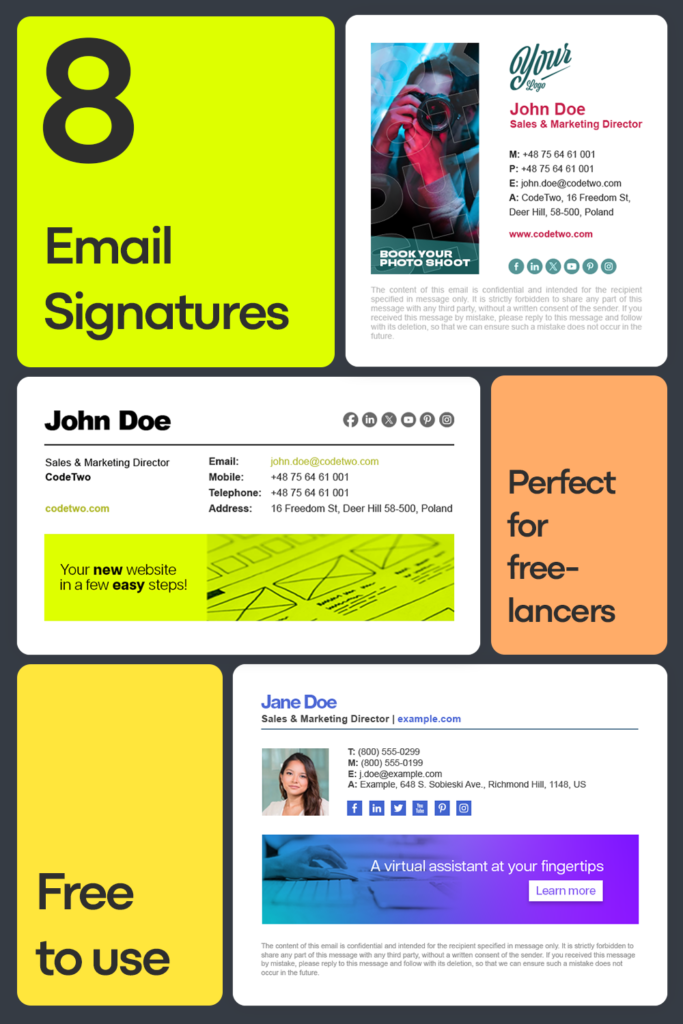
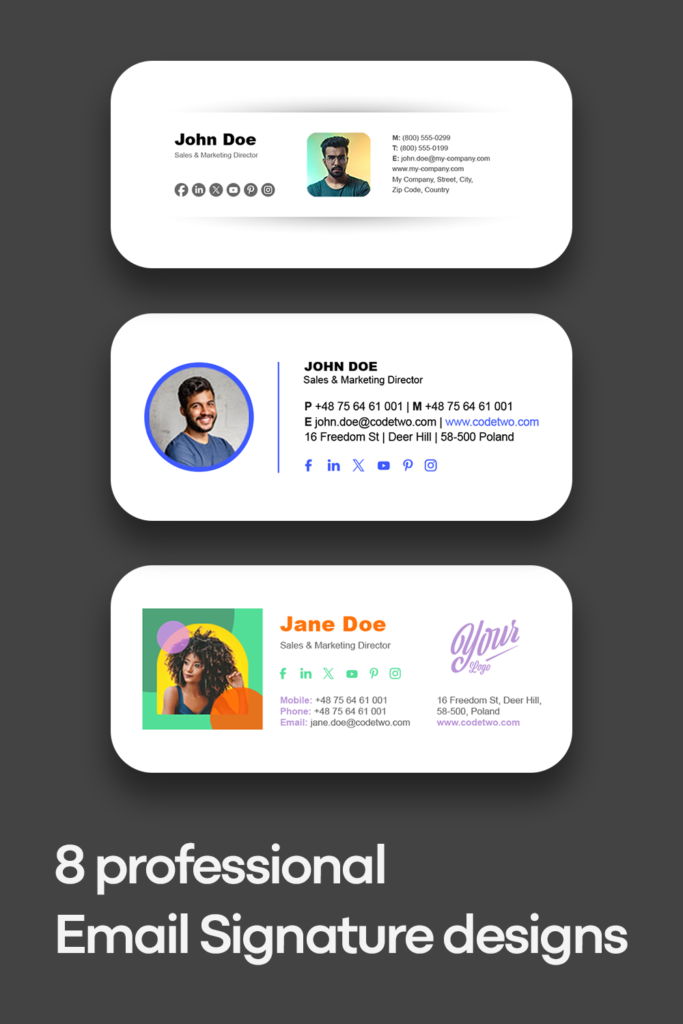
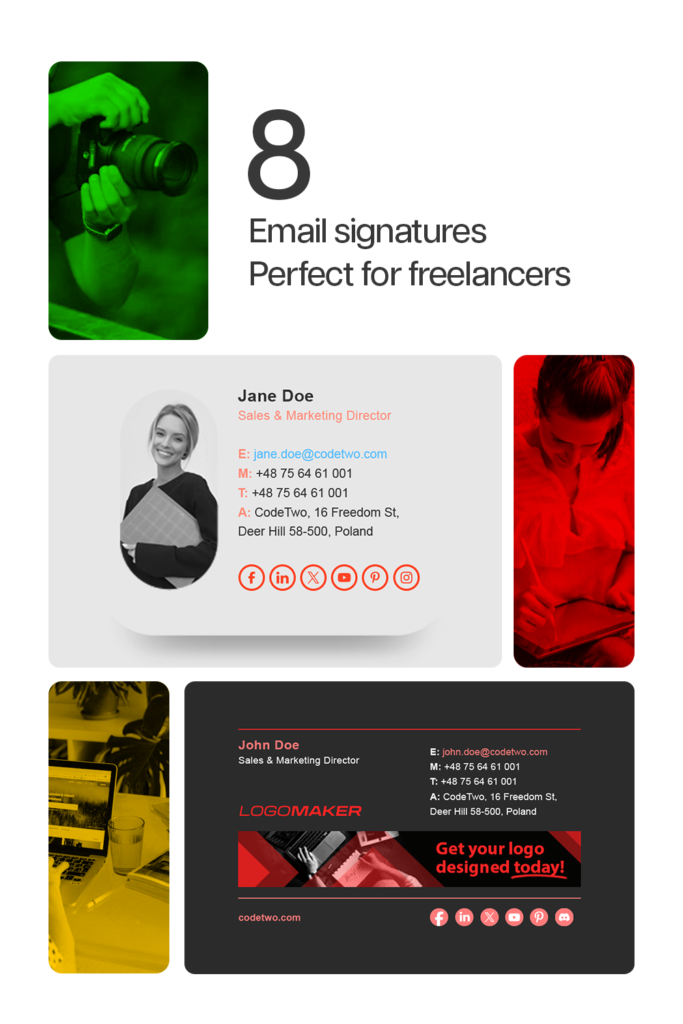
Check out this gallery with some of the best freelancer email signature examples. They are all available in our free email signature generator. You can easily edit and adjust them to your or your clients’ needs. Focus on the layout that works best, because you can freely remove a banner, disclaimer or irrelevant social media buttons.
Why do freelancers need to work on their email signatures?
Freelancer job opportunities have been on the rise for years now. And with high popularity of freelancer platforms like Fiverr, Freelancer or Upwork, it’s easier to start out. At the same time, it means that the competition is getting fierce. No matter what kind of freelance projects you’re doing, more and more freelancers bid on the usual job offers.
To land a job, you need to have the skills, sure, but it’s not enough. It’s just as important to be great at selling this to your prospects. You can do it by making your email signature stand out.
No matter if you’re looking at entry or expert level job opportunities, a professional email signature is a perfect way to make a good impression. Think first impressions – when you’re reaching out to your new prospects and maintaining your image when you’re emailing with your current clients.
Potential clients
When reaching out to new clients, whether responding to some offers, or looking for opportunities, you need to show your best side. An email signature plays a vital role, as it tells a story about you in the way you want it to. Sounds simple, but the closer you look, the more questions you’ll have. That’s why I’ll give you a checklist with signatures that just work.
Current clients
When you’re emailing with your current clients, it’s best to focus on your availability and building a strong relation. Make sure that your email signature looks well even when you’re emailing from a mobile device. Also, compose the signature in such a way that no matter who gets the email, they will know who you are and what you do. It might turn out that someone at the company might need your services, too, except from your main point of contact. Make it easy for others to reach out to you.
What to include in your email signature?
Freelancer’s email signature is a mix between a personal and company email signature.
On the one hand – it’s super important to promote your personal brand. On the other, as a freelancer you’re usually not a part of a specific company. If you are, your freelancer’s career probably focuses on some side hustles, and you won’t necessarily want to promote your affiliation with the main income source.
So, it’s good to lead with the obvious basics and then use your secret weapon to seal the deal. Here’s what to include in your email signatures:
- First & last name. Unless you’re a superhero – then feel free to use your alias, instead.
- Tagline. Use it instead of a job title. Use something that best describes you in a few words. “Freelancer” isn’t bad, but it’s much better to identify you specialization right away. So, write, for example, web designer, technical writer, graphic designer, wedding photographer.
- Contact info. It is super important. Focus on the contact channels that you’re most responsive on. A WhatsApp link that can start a chat with prefilled message is a nice touch that most people don’t even know about.
- Work hours and time zone. Freelancers usually work remotely. That’s why it might be a good idea to add a note about your availability, so that people don’t call you at 3 in the morning.
- Photo. Most freelancers don’t hide their face behind a company logo. Your professional photo is your trademark, and you should use it to add a human touch to email conversations. And if you think that you have an ugly mug, just like mine, remember that a smile and a bit of photoshop can work miracles!
- Social media profiles. You can use any, but let’s get real for a second. It all depends on what kind of freelance projects you’re doing and on your presence. Instagram, Pinterest, and YouTube are the first your recipients will click – they can provide samples of your best work. Facebook and X might make sense if you have a considerable number of followers – that shows your voice matters to a lot of people. LinkedIn is good for showing your experience and certified skills. GitHub is great if you’re a programmer.
You probably would have thought of those elements anyway – this list doesn’t have items exclusive to freelancers. If you stop there, you’d have a pretty good email signature. But you’re not here to be just good. You’re here to make sure you’re viewed as the best. That’s why I’ll show you the list with your potential secret sauce.
How to make a freelancer’s email signature shine?
If you want to have an outstanding freelancer’s email signature, add at least one of the following elements:
- Your portfolio. That’s your most important asset. No matter what you do, it’s the portfolio that gives your prospects the most information and works in your favor. It shows what kind of projects you’ve been a part of, if you’re versatile or not, what’s your skill level or just if your style is a good fit. You could do with a portfolio built on Behance, a similar service, or even any of the freelance platforms. But to truly stand out, having your own website gives you an edge, especially since you gain full control over your presentation and show that you’re a freelancer to be reckoned with. If you don’t have a portfolio, not everything is lost. You’ll work on it as you go. Think of other methods you can show your expertise and experience.
- Link to your freelance profile. If you’re on Upwork, Fiver, Freelance or any other service, you’ve already put a lot of effort to make your profile stand out, right? Make use of it by adding a “See me on…” link. It’s even more useful if you’re reaching out to potential customers and want to handle them through an intermediary.
- Banner. Instead of using a standard marketing banner that companies usually add to their signatures, you can design something that links to your best project or the complete portfolio.
- Blog or vlog. A good blog or vlog can make people fall in love with you. Professionally. Show the best you have to offer, share original thoughts, and it will work miracles in terms of relation building.
Best email signature generator for freelancers
I’m going to show you a tool that’s an absolute number 1 for freelancers.
Design your own email signature
Creating an email signature from scratch is harder than you might think. To make it work across different email clients, you need to write it in HTML code and then test across various clients. There is some heavy lifting, since you need to research how to code email signatures (specifically) in HTML. And believe me, it’s nothing like designing websites. You’ll have to use only inline CSS, work with tables, and make sure Outlook interprets the code the same way as Gmail… In short, it’s a nuisance.
So, instead of hurting yourself, you can use the free email signature generator. No HTML coding skills required. Just pick a template, adjust it to your needs, replace the default contact details and graphics and voilà.
Check out our collection of professional email signature examples created with the generator
Design signatures for your clients
But that’s not all. If you’ve ever been on Fiverr, you might have seen that companies often need experts to create professional email signatures for them. The free email signature generator lets you do that in no time. Yep, for free. See how you can do it in our guide
Email signature management
Now, designing an email signature template is one thing. But if you ever come across a job that mentions email signature management, you’ll need another tool.
Email signature management is a must for companies that have hundreds or thousands of users. Even when you have a unified signature template, you can imagine how hard it would be to update email signatures for every employee on every device. That’s where central management comes in. Instead of manually changing and adding signatures for everyone, you create one template. This one template is automatically personalized and added to all emails in the company.