


To do it smoothly and professionally, you can use a third-party application such as CodeTwo Email Signatures On-prem or CodeTwo Email Signatures 365, which will help you create eye-catching email signatures with marketing graphics before the mad rush begins.
Note: CodeTwo Email Signatures On-prem is the best option for your company if you use the Exchange Server SE as your email platform. However, if you are using Office 365 to send and receive your emails, choose CodeTwo Email Signatures 365.
Use email signatures as marketing medium
Getting automatic email signatures to work for your Black Friday success is the easiest thing in the world – just make sure your company have either CodeTwo Email Signatures On-prem or CodeTwo Email Signatures 365 in use. The applications have a built-in Template Editor, where you can modify your current email signature or create a new one. The editor has all necessary formatting tools to make the designing process as easy as pie.
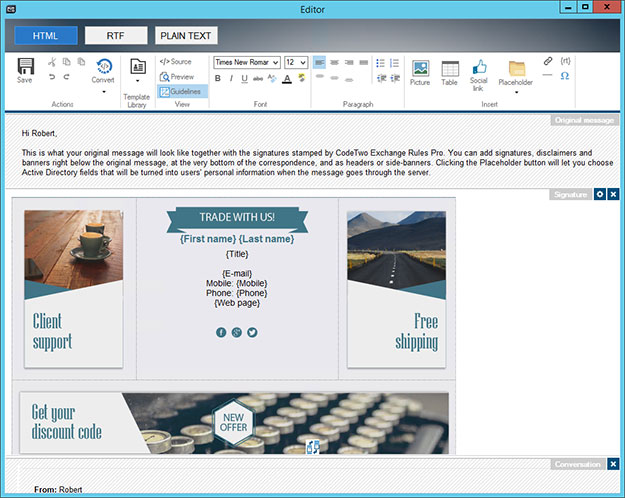
In the screenshot below, you can see what the program’s signature editor looks like. I also loaded one of the predefined signature templates from the built-in Template Library.
Place your Black Friday banner anywhere in the signature
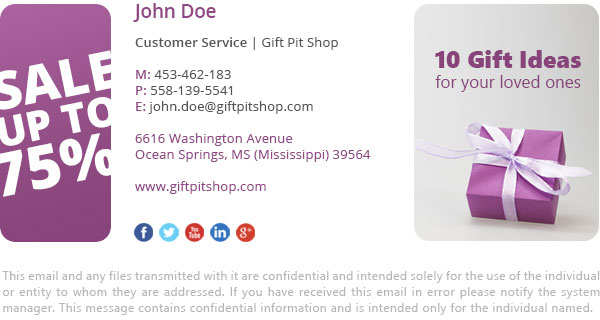
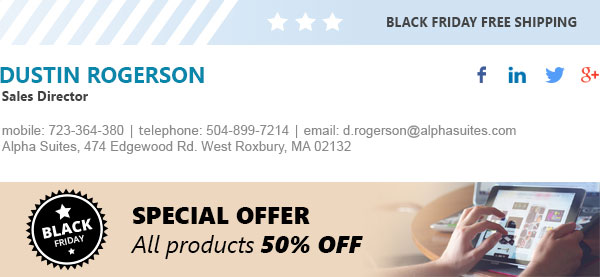
You can add marketing banners in the signature anywhere you like. This can be: bottom, top, left side, right side – it’s up to you! The programs built-in editor will help you organize all elements so that you get a nicely tailored signature. Below you will find two examples of email signatures designed within CodeTwo Email Signatures On-prem – the first one with side banners, and the second one with top and bottom banners. The same result you can achieve using CodeTwo Email Signatures 365.
Schedule time ranges when the rule must be active
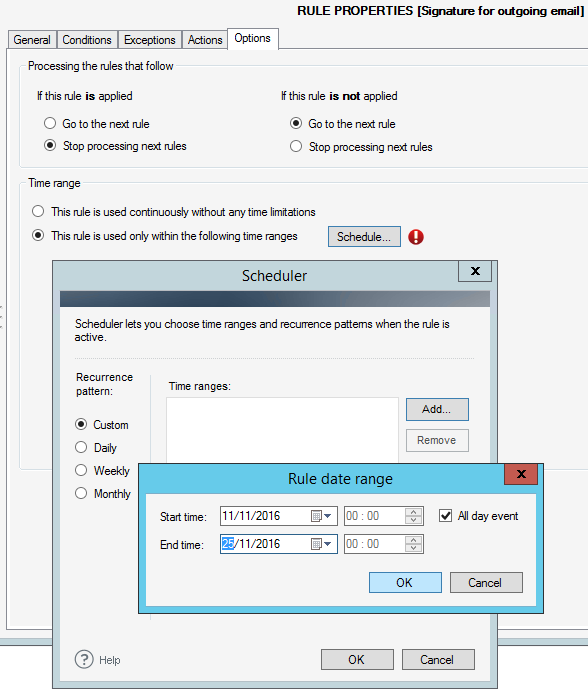
When you have created the rules with email signatures prepared specially for Black Friday (or any other event), you can set up the program to run those rules within a specific time range. For example, you can adjust the program to insert signatures to emails sent between November 21 and November 25. Once November 25 goes by, that rule will stop inserting promotional signatures automatically.
Under the Options tab in the program’s console, you can define time ranges of rule’s activity. This option is currently available only in CodeTwo Exchange Rules applications.
Try it out!
As actions speak louder than words, you can test program’s functionalities directly in your company. If you have an Exchange Server that handles your email flow, just download CodeTwo Exchange Rule Pro, install it on your Exchange Server (you may need to ask your administrator to do that) and you can actually start creating your Black Friday email signatures. The trial version is fully functional, works 30 days, and what is worth mentioning, it is totally free of charge.
If you are in the Cloud, simply create your test user account, add your Microsoft 365 tenant and click Manage Signatures. The trial version is valid for 14 days (no credit card details required).
Follow these links to:
Download CodeTwo Email Signatures On-prem
Manage email signatures in Microsoft 365
Check also: