Best Canva email signature templates with editable banners
Mail-Signatures.com

  • Tips & guides
  • Tools
  • Signature templates
  • Signature generator
  • Contact
  • DE

Canva email signature banner inspirations

An email signature banner is a crucial element of any signature. Marketing banners can promote your campaigns and drive traffic to your landing pages. Explore some of our best examples for some great email signature banner ideas and inspirations. The best part is that all those banner projects are available to edit for free in Canva and can be used in our free email signature designer.

Twitter test
Linkedin
Facebook
Facebook
Facebook
Written by Łukasz Dydek

Posted: April 26, 2024

Best Canva email signature templates with editable banners

The free email signature generator makes it super easy to design a professional email signature. Now, you can also easily personalize email signature banners by adding your logo, fine-tuning their colors or adding custom CTAs.

Learn how to edit email signature banners in Canva

Email signature inspirations with Canva-editable banners

Before you get into the madness of creation in Canva, see how some of the actual banners look within email signature templates. Both templates and banners are 100% free to use, so you can just focus on making them work best for you. Hint: The templates shown below are aligned with the banners in terms of dimensions, so we generally recommend using your Canva-customized banners with them as well, later on.

Clear & informative design
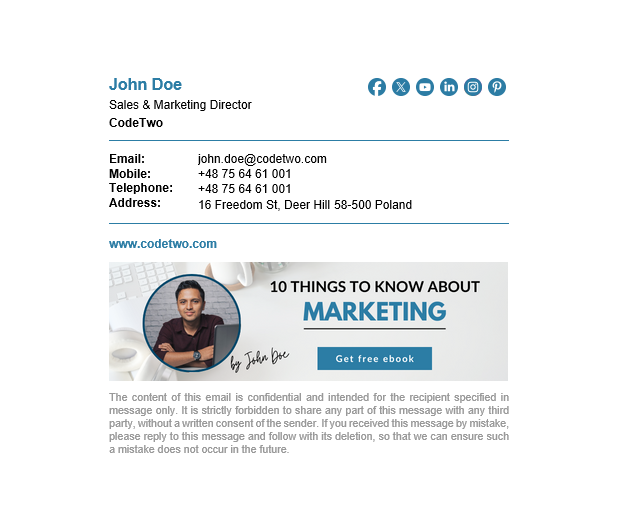
Email signature template - clear and informative template with a disclaimer and a banner editable in Canva.

This email signature template lets anyone scan your basic contact details in no time. Despite its simplicity, it includes everything a well-designed email signature should have, including a disclaimer. You can edit the email signature banner in Canva to include your own photo, change the handwritten-style signature, or simply change the text on the CTA button, for example.

Fine tune this template in our free editor and boost it with the banner updated in Canva

Light blue elegance
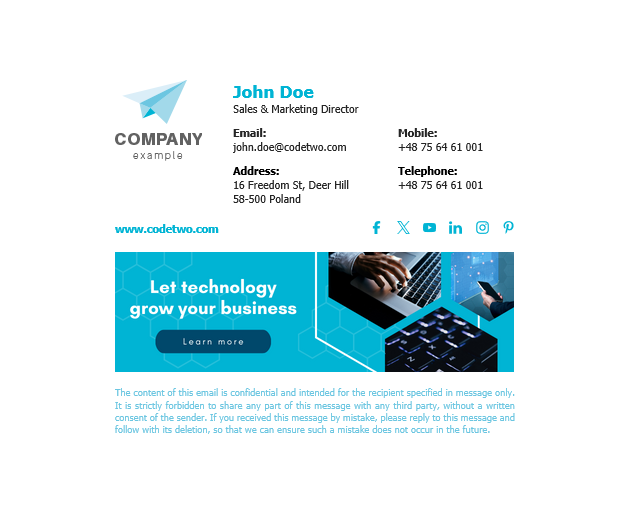
Email signature template - elegant & tech-focused template with logo, disclaimer and a banner you can edit in Canva.

With this template, you get your details neatly organized into three columns and complemented by elegant light blue accents. If you want to put your organization’s logo to the forefront, this design is for you. Before going live with the template, use Canva to edit your CTA button and campaign slogan. And if you’re not a technology-focused company, use a different banner or play with the images if you have a flair for the graphics design.

Download the template or edit it in our free generator + don’t forget to Canva-boost the banner

Neon green to energize your communications
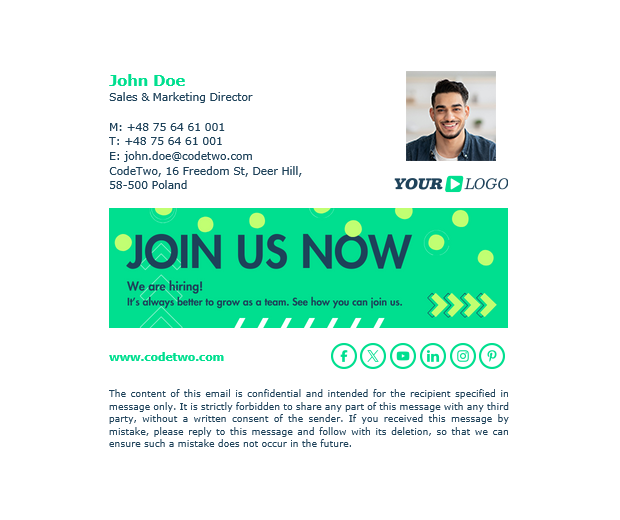
Email signature template - energizing neon green template with photo, disclaimer and a banner you can customize in Canva.

Want to liven up your emails? Go for this email signature template with neon green accents all over – it looks outright perfect in light and dark modes alike. Include your photo to add a personal touch. Customize the vibrant banner with the Canva editor by changing the texts or adding your logo if you like (make sure to matches all the colors).

Get and customize the template & the banner for free to add some spice to your emails

See all the Canva-enabled banner designs we’ve got for you

Interested in getting your hands on all the banners from our graphic designers team? Here they come:


Canva-editable banner for advertising a sales offer
Canva-editable banner for a video blogger
Canva-editable banner for a florist business
Energizing neon green Canva-editable banner for HR department
Canva-editable banner for a technology-focused business
Canva-editable banner for marketing department

To access the project with all six banners in Canva, use this link.

For instructions on how to freely edit the banners, see this article.

Looking for even more inspirations?

Free email signature inspirations library button

Email signature library

The library presents over a hundred great designs. You can download each of them and use it as a starting point in your design journey.

Free email signature creator button

Email signature creator

The creator lets you design a personalized email signature and helps you add this signature to any email client you want.


Recommended articles

Supreme email signature examples for professionals
January 21, 2026

Supreme email signature examples for professionals

Take inspiration from our portfolio of attention-grabbing email signatures for professionals.
Read more »
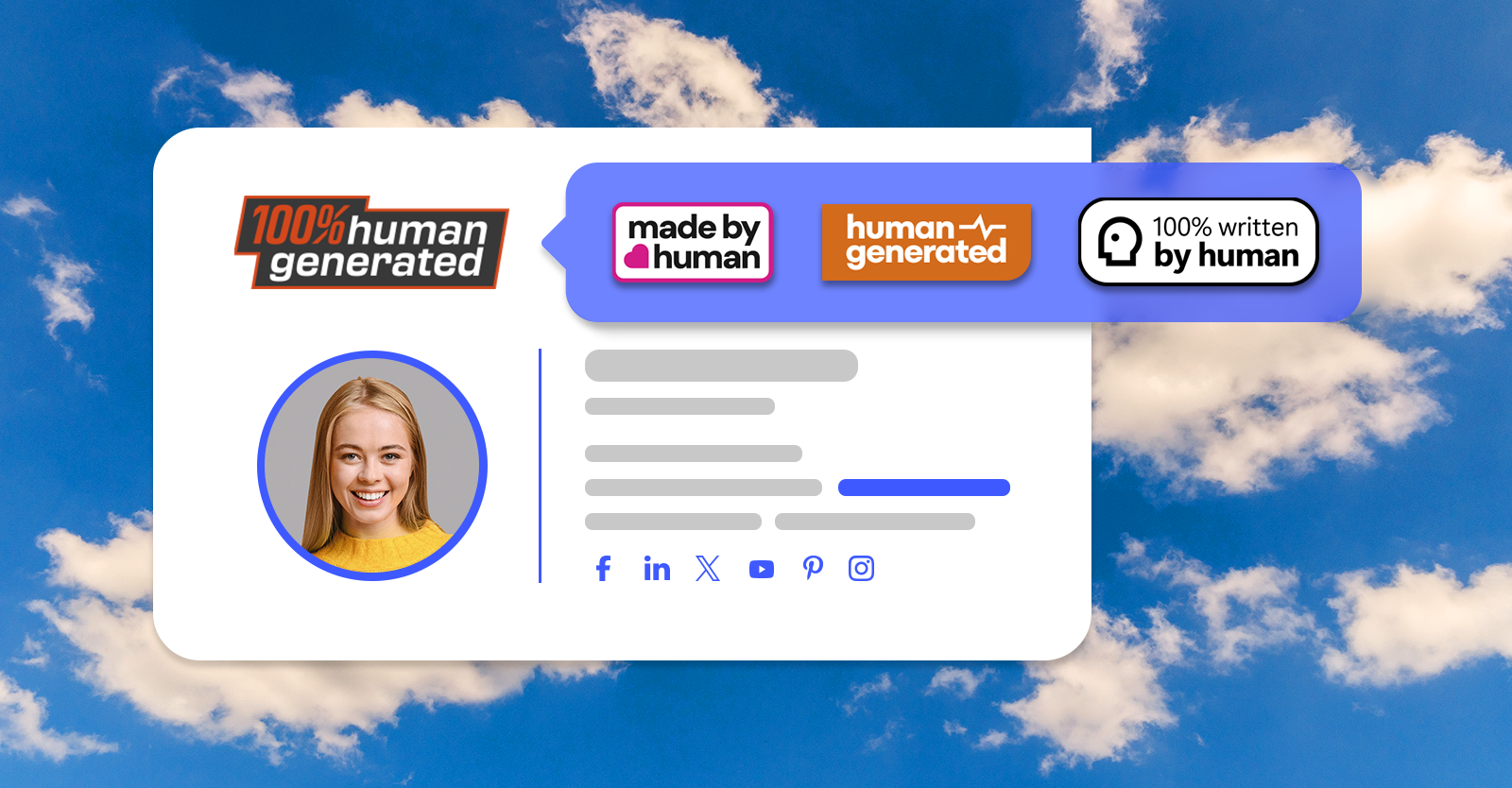
Human or bot? Mark your emails with “Human-written” badges
May 05, 2025

Human or bot? Mark your emails with “Human-written” badges

Download free, white-label badges to add to your email signatures. These badges inform your recipients you are a human.
Read more »
Free animated Christmas email signatures
December 04, 2024

Free animated Christmas email signatures

Yes, it’s that time of year. Almost everyone is getting ready for the holidays. Elves make their way to shelves, reindeer enter the spotlight and snowmen just stay frosty. Decorations find their way to almost every nook and cranny of homes and companies alike. Emails are no exception – it’s a great time to refresh your company email signature design. And if you want to do it in style, animated Christmas email signatures are the way to go. Check out our holiday-themed signature examples and get inspired. Best Christmas email signature examples We’ve prepared some Christmas email signature ideas for you. See our examples to get inspired and start crafting your animated email signature right away. All these designs are available in our free email signature generator, so changing your email signature should be easier than decorating a Christmas tree. See how to compose a perfect Christmas email signature Each of the designs below includes an animated banner designed in Canva. You can use our project to create your own email signature banner. For example, you can: change the animation however you like, add your logo or introduce colors that better match your brand, add a custom CTA, add your own holiday wishes. How to edit our Canva-made email signature banners? Let It Snow – an animated holiday beauty Add a “Merry Christmas” banner with snow falling from the sky and sparkling stars in the distance to immediately bring warmth and a sense of safety to mind: You can easily replace “Merry Christmas” on the banner with “Happy Holidays” or another festive greeting by using another design (also available in this Canva project): Feel free to add a custom CTA and a link to your Christmas campaign. Edit the signature banner in Canva Animated Christmas – attention-grabbing but classy Animated email signatures are perfect for catching attention. Even a slight animated element works wonders, especially when you refresh a design everyone has gotten used to. So, if you want your email signatures to be noticed but don’t want them to be to flashy, Animated Christmas is for you. Want to change something on the banner? Use our free Christmas banner Canva design to do that in just a few minutes! There are a few other great designs in the project as well. Just look at them go: Need more inspirations? Did you think that was it? That’s only the tip of a snowman’s nose! Check out our library of Christmas-themed signature ideas. A little bird tweeted us (because it couldn’t have X-ed us) that snowflake-shaped social media icons are one of the all-time favorites. Also, see this article to download a free bundle of Christmas banners for email signatures. Most of these banners are animated! How do animated banners work? Email signatures are peculiar. They’re built on HTML, but not the kind that allows you to do virtually anything. That’s why all non-standard elements need to follow certain rules if you want your email signatures to work across all email apps. That’s why, if you want an animated signature (holiday-themed or not), you’re forced to use GIFs. They’re supported in almost all popular email apps, except for some old-school ones like Outlook 2016. And yes, people still use it. If a certain email app doesn’t support animations, it will show the first frame of the GIF. That’s why we made sure the first frames of our
Read more »
Go to articles list

Leave a Reply Cancel reply

Your email address will not be published. Required fields are marked *

Are you human? Please solve:Captcha


CodeTwo

About us
Blog
Our products
Why partner with us?
Guides & infographics
Follow us on:

Follow CodeTwo on Facebook Follow CodeTwo on Twitter Watch CodeTwo Channel on YouTube Watch CodeTwo Channel on Instagram Watch CodeTwo Channel on Pinterest
Powered by CodeTwo
Copyright 2026 CodeTwo
All rights reserved
Trademarks
Terms and Conditions
Privacy Policy
Cookie settings