



Are you looking for an easy way to design an email signature without having to edit any HTML code directly? No matter if you want to create your own, personal email signature, or design a corporate email signature for your company or clients, this article will show you how to create a professional email signature online – quickly, easily, and for free!
So, if you are a graphic designer who wants to streamline the email signature designing process, there are a few steps that can help you create that professional email signature.
What does a good email signature design need?
You might think that email signatures are easy to design. After all, they are only small blocks of content which usually appear at the bottom of your emails. As it turns out, designing an email signature is not a simple task and there are quite a few things a professionally looking email signature requires:
- a simple, well-planned layout,
- all the relevant contact information,
- graphic elements that would let the signature stand out.
In addition, you should also have some HTML knowledge to put these things all together or use an email signature design tool that will do that for you. Fortunately, you can get all those elements in one place with this free email signature generator.
Find an inspiration for your email signature
Before you start creating your own email signature design, it is useful to look at available options and pre-made templates. Checking out some professional email signature designs will help you come up with an idea of your own.
A good place to start looking for an email signature inspiration is a signature template library and signature generator. There, you can browse through various designs and see which one fits your idea of a perfect email signature.
Different signatures require different designs. If you want to see more suggestions for email signatures, check our blog.
Choose the email signature layout
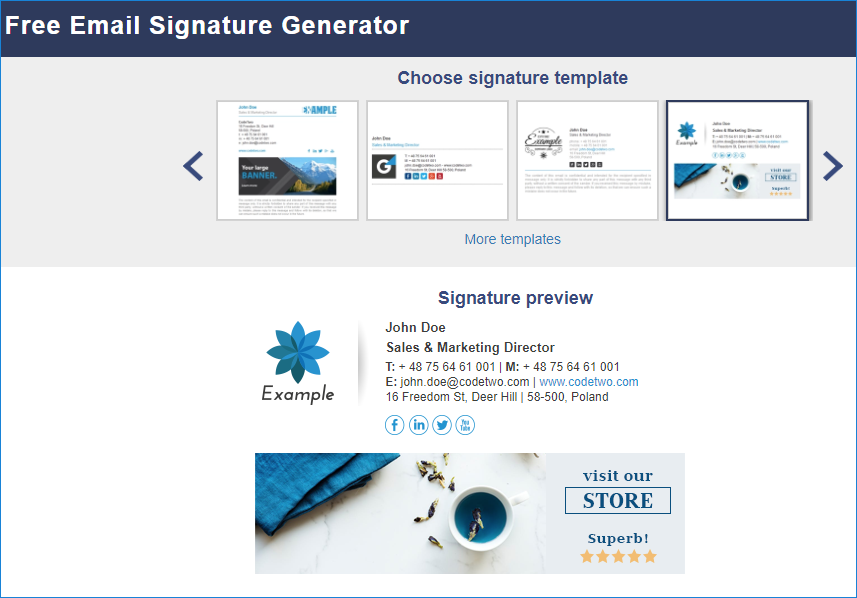
After you get properly inspired, it is almost time to get down to designing. The only thing left to do is to determine what logo & banner size you need for your template. You can use our free email signature generator as your email signature design tool. Pick one of the available layouts, for example the one with a banner and a logo:
Now, in the left-side menu, go to the Graphics tab and see the guidelines for the preferred image dimensions:
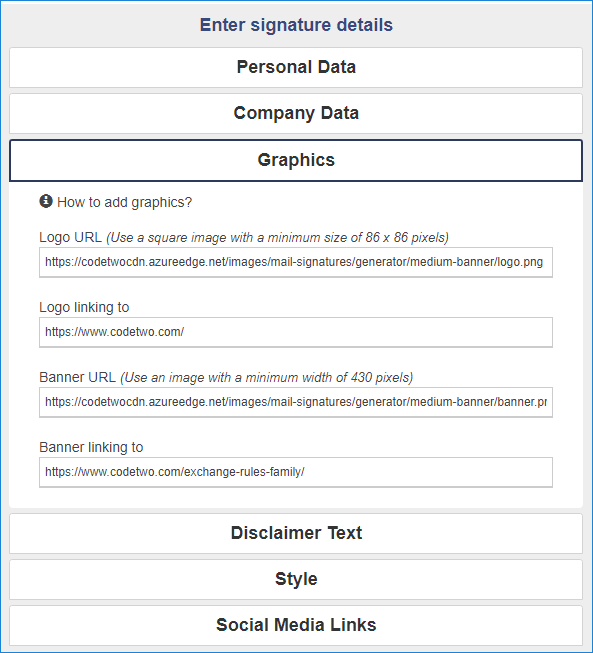
Bear in mind that you will get the best image quality if you use the minimum width (430 pixels for the banner in the example above) exactly or its multiples (for example, 860 pixels). Now’s the time to get those images made.
Design the graphics
Apart from the preferred size, mentioned in the step above, there are a few other things to keep in mind:
- Banners in email signatures are usually meant to be clickable. That’s why you need a good, clear call to action (CTA).
- You shouldn’t use images with a white background. While they might look OK in most email clients, some Outlook and Outlook on the web versions feature dark mode, in which white backgrounds usually stand out. In the wrong way. That’s why it is better to either use images with transparent backgrounds, in the .png format, or choose neutral backgrounds.
- Email signatures should catch attention, so using various colors might be a good idea. However, mind that keeping the whole design unified and compliant with brand identity always comes first.
Put the signature together
After settling on the design, it is time to customize the signature fields. First, fill in the contact info by following the guidelines in the signature generator. Then add the images you’ve created earlier (remember to use direct image URLs) and see if your signature looks as expected in the signature preview:

If you get stuck at any time, you can always check the user’s manual for additional guidance and to find answers to the most commonly asked questions.
Deploy the email signature
When the email signature is assembled and ready to go, it is time to apply it.
If you want to set up the newly created signature for yourself, click the Apply your signature button and follow the steps listed in the generator. If you have designed an email signature for someone else, you have two main options:
- Send the complete signature in an email. Instead of pasting the signature into your email client’s signature editor, paste it into the email body and send to the recipient. Easy! The risk is that some email clients (I’m looking at you, Outlook!) might add some additional formatting to the signature, so it is safest to use a web-based email client to send signatures for others to set up.
- Send the HTML code of the email signature. You might need to send the HTML signature if your recipient wants to, for example, set up a global email signature in Office 365, or their email client requires raw HTML code. To get the HTML code of a signature, choose Thunderbird, Exchange Server or Exchange Online as your email platform:
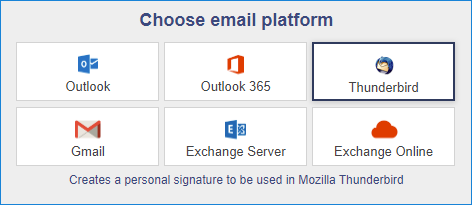

Then click Apply your signature and select Generate HTML. You will get the HTML code of the signature. You can now copy that code into a plain text editor, save it as a TXT or HTM file, and send that file to your recipient.
Alternative approach
If you followed the instructions above, you still need to set up a signature and deploy it to each user individually. Did you know that you can also design email signatures and manage them centrally for all users in your organization? CodeTwo Email Signatures 365 is a perfect tool for the job. And it comes with an advanced but user-friendly WYSIWYG email signature editor to boot. Not to mention a wide library of email signature templates. A free 14-day trial sounds tempting, doesn’t it?



“Discovering the ultimate game-changer for graphic designers – an email signature design tool! This blogpost unveils a treasure trove for creatives, providing insights into a tool that simplifies and enhances the process of crafting professional and visually striking email signatures. From sleek minimalist designs to bold and vibrant expressions, this tool empowers graphic designers to leave a lasting impression with every email. A must-read for those seeking to effortlessly elevate their professional brand and make a statement in the digital realm. Say goodbye to mundane signatures and hello to a new era of personalized, standout email design!”